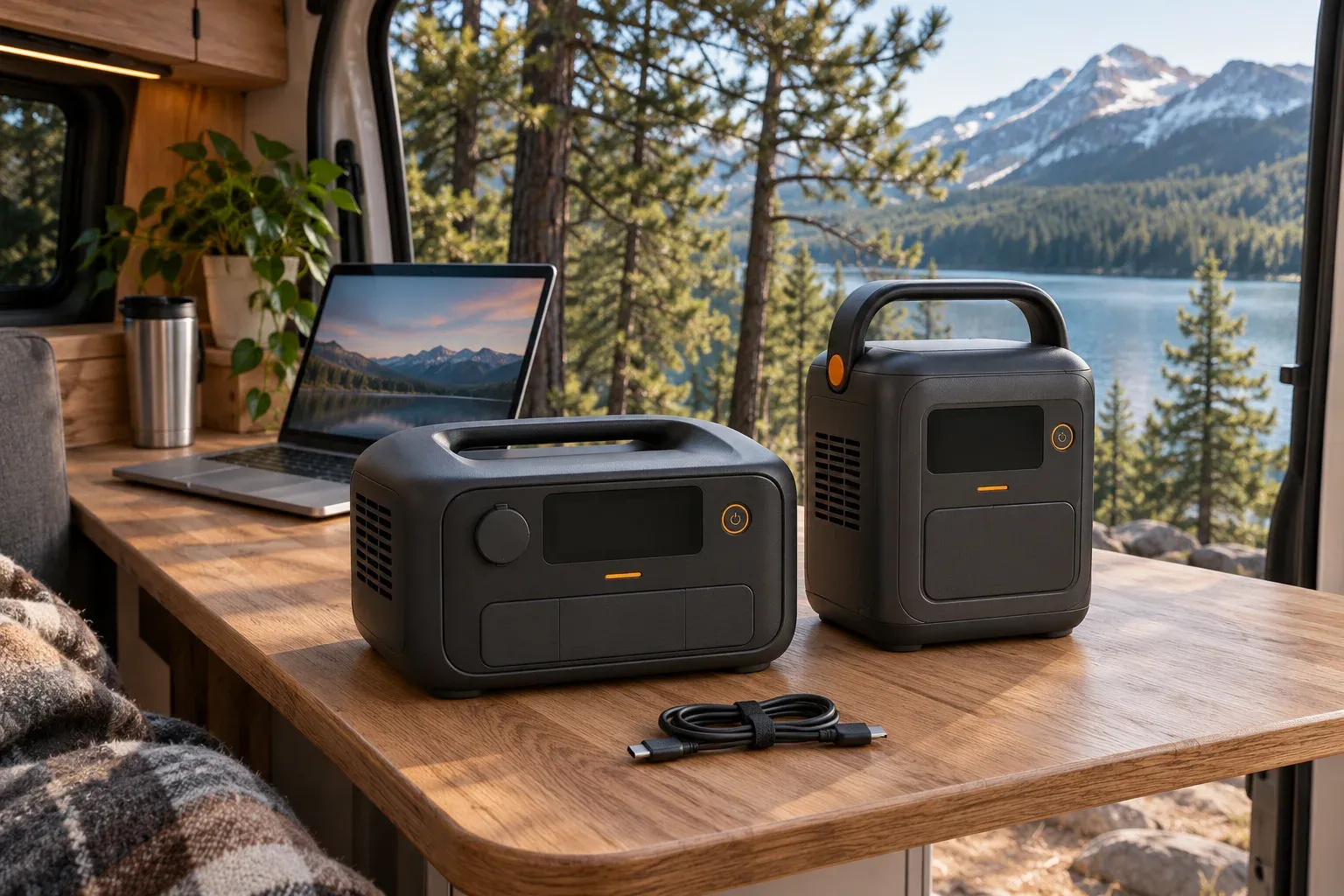
Choose the EcoFlow RIVER 3 Plus if you need more AC power or a route to a larger battery. Choose the Anker SOLIX C300 AC if your setup centers on USB-C devices and easy carrying. Their base batteries are almost identical in size: 286Wh versus 288Wh.
For a router, a laptop or a weekend charging kit, the useful difference is how your devices connect and how much power they need at once. A stronger inverter alone does not buy a longer workday.
This comparison covers the standard 286Wh RIVER 3 Plus and the C300 AC model A1722 sold for the US market. The C300 DC is a different product without AC outlets. The RIVER 3, Plus (270) and Wireless versions also need separate comparisons.
RIVER 3 Plus vs C300 AC at a glance
| Feature | EcoFlow RIVER 3 Plus | Anker SOLIX C300 AC |
|---|---|---|
| Base battery | 286Wh | 288Wh |
| Normal AC output, total | 600W | 300W |
| USB-C | One 100W output | Two 140W ports, plus one 15W output |
| USB-C charging input | Not listed for the base station | Up to 140W through C2 |
| Solar input ceiling | 220W; 11–55V, 13A | 100W; 11–28V, 8.2A |
| Weight | About 10.4lb | About 9.1lb |
| Capacity expansion | Compatible RIVER 3 Plus extra battery | Fixed 288Wh configuration |
| Standby backup | Within 10ms; USB-B communication documented | 10ms-class transfer documented |
| Best reason to choose it | Higher AC loads or future expansion | More USB-C connections in a lighter unit |
Figures are manufacturer ratings for the US models. Individual port ratings are subject to combined-output limits; the USB-C section below explains the C300 connection restrictions.
EcoFlow RIVER 3 Plus: more room for AC equipment
The RIVER is the stronger choice when your combined normal AC load exceeds the C300’s 300W rating. It also has a documented computer/NAS communication connection, worth investigating if backup shutdown control matters to your setup.
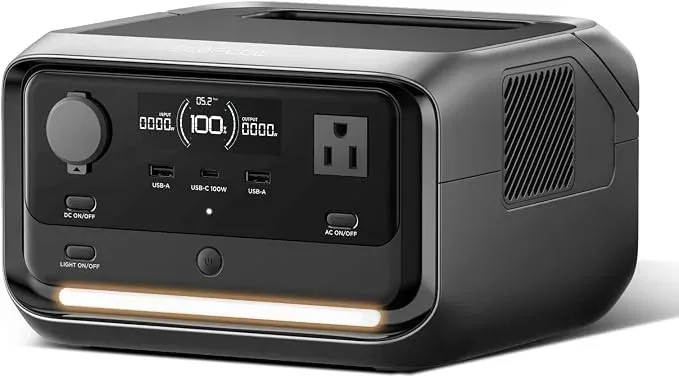
Amazon listed this standalone variant as unavailable when checked on November 4, 2026. Check the selected model and current availability before buying; a listing for an extra battery alone is not a complete power station.
Anker SOLIX C300 AC: a better fit for several USB-C devices
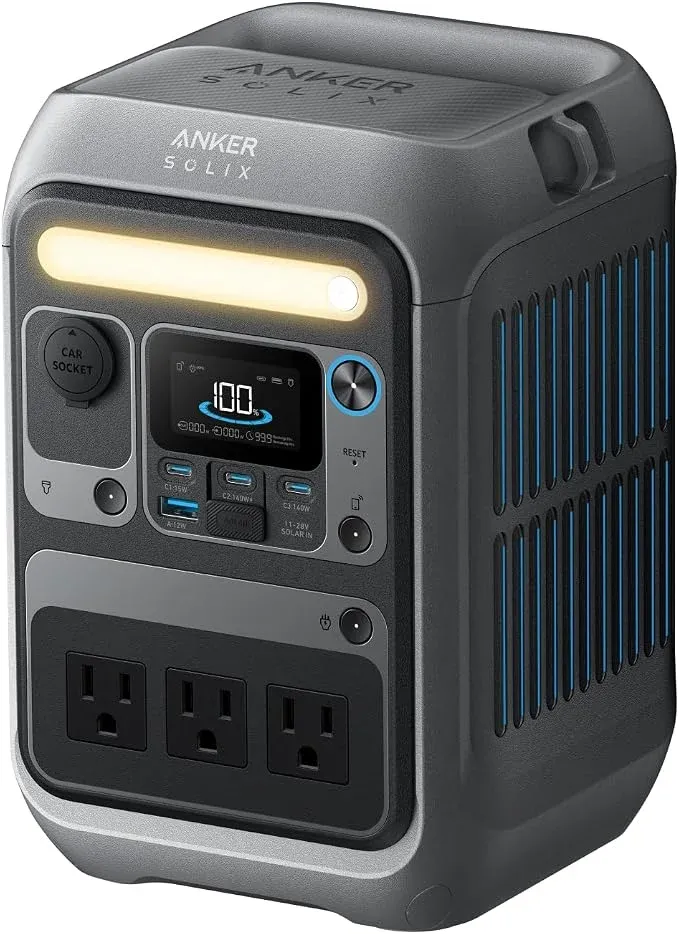
The C300 AC gives a laptop, phone and other USB devices more places to connect. It is roughly 1.3lb lighter, though you still need to account for charging cables and any adapters in the bag.
Battery runtime: how close are 286Wh and 288Wh?
The difference is less than 1%. With the same assumptions, the batteries have almost the same energy budget. Actual low-load performance can differ because the inverter and other electronics consume power too.
The table uses 85% conversion efficiency, a 10% battery reserve and an additional assumed 3W station draw. Device wattages are illustrative averages. These are calculations, not measured product runtimes.
| Assumed device load | RIVER 3 Plus, 286Wh | C300 AC, 288Wh |
|---|---|---|
| 20W: small network setup | 9.7 hours | 9.8 hours |
| 40W: network equipment or light charging | 5.1 hours | 5.2 hours |
| 75W: Mini and laptop planning example | 2.8 hours | 2.8 hours |
| 100W: larger combined load | 2.1 hours | 2.1 hours |
At 20W, another few watts of station draw matter much more than the 2Wh capacity difference. If you are choosing primarily for long router runtime, look for measured results at a similar load and output type. A full-power discharge test answers a different question.
Plan your battery size
Estimate runtime for your equipment
Enter your device load and adjust the assumptions for your setup.
Estimated runtime
Battery for 8 hours
Enter valid positive values. Efficiency must be 1–100%, and reserve must be 0–99%.
Planning estimate. Extra draw covers the station's own consumption at the battery. Actual efficiency and shutdown behavior vary by model. For a conventional UPS, use its published runtime curve.
See the calculation
Runtime = capacity × (1 − reserve) ÷ (device watts ÷ efficiency + extra battery draw). Required capacity reverses this calculation for your target runtime. Percentages are converted to fractions.
Router and modem backup: check handover and recovery
Either base capacity can be a reasonable starting point for a small network load. Count the modem or ONT, router and any required switch. A 20W total fits the eight-hour target in the table; a 40W total does not.
Use the original equipment adapters with supported AC outputs unless you have verified the voltage, polarity and connectors for a direct DC arrangement. Both manuals describe standby backup, but a transfer rating cannot guarantee that every adapter will keep its device running.
EcoFlow’s RIVER 3 Plus manual also documents USB-B communication and Power Manager for supported computers and NAS systems. That is useful if the battery must trigger an orderly shutdown. Confirm the exact operating system and device support.
For unattended networking, check timeout settings and what happens after the battery runs down and wall power returns. Our router and modem battery-backup guide covers the complete connection, while the power station vs UPS guide explains shutdown and recovery checks.
USB-C and Starlink Mini: plan the ports before buying
For a laptop alone, check its charging requirement. For a laptop beside a Starlink Mini, you need two suitable power paths. The RIVER’s base station has one USB-C output, so a second device may need its own AC adapter.
The C300 AC manual lists C2 and C3 at up to 140W each, including 20V/5A output. C2 also accepts charging input. Its sliding cover prevents using C2 together with the XT60 solar/car connection. A solar setup therefore needs a different port plan from a battery-only setup.
The manual lists 360W total output and a shared 20W limit for USB-A plus C1. Do not add every port’s headline wattage and expect that total. C2 is also occupied when used to recharge the station. Check the current manual and try your intended simultaneous connections, including the charging source, before taking the setup away from home.
For the Mini, use a suitable USB PD source and the correct cable. Our Starlink Mini battery guide explains the 100W, 20V/5A source requirement and the distinction between required source capability and average operating draw.
At an assumed 75W combined average, a Mini and laptop would need roughly 785Wh for eight hours, using 85% efficiency and a 10% reserve before extra station draw. Either base battery is well short of that target. Plan a shorter session, recharging or more capacity.
Camping: daily energy and solar replenishment
A modest weekend charging kit can fit either station. For example, a 30W average laptop load for three hours, 20Wh of phone charging and a 5W light for four hours total 130Wh at the devices. At the same 85% efficiency and 10% reserve, that calls for about 170Wh of rated battery capacity, before extra station draw.
A cooler or electric cooking appliance changes the budget quickly. Add the cooler’s measured daily energy, or the appliance’s actual wattage and operating time, before deciding that a 300Wh-class battery will cover the trip. Our camping battery sizing guide walks through that calculation.
The RIVER accepts a higher solar input ceiling. That can help replenish more energy during a useful sun window with a compatible panel; it does not mean you will receive 220W throughout the day. Panel voltage, current, connectors, shade and weather all affect the result. Use the solar panel compatibility guide before selecting a panel.
Expansion and AC power: when the RIVER earns its extra weight
EcoFlow lists compatible expansion options that bring the standard RIVER 3 Plus to 572Wh or 858Wh total. Compare the complete kit’s cost and carry weight with a larger single station before committing to that route. An extra battery purchased later still needs to be available and compatible with your exact model.
The 858Wh configuration clears the 785Wh planning target above on rated energy, but extra system draw and real operating conditions can consume the remaining margin. It does not establish a verified eight-hour Mini-and-laptop result.
For AC equipment, compare 600W normal output on the RIVER with 300W on the C300. X-Boost and SurgePad are special operating modes with device restrictions. Their larger advertised numbers should not be treated as ordinary continuous-power ratings or a guarantee of motor-start compatibility.
If you only need low-power electronics, paying for more inverter capacity may add little to your actual use. If you need a higher AC load as well as portability, the RIVER’s normal rating gives you a wider range to assess.
Which one should you buy?
Choose the RIVER 3 Plus for higher normal AC loads, compatible capacity expansion or a supported computer/NAS communication setup. Check the whole kit and availability, especially if expansion is the main reason to buy it.
Check price on AmazonChoose the C300 AC for a lighter small station with more USB-C connections, provided its port layout works with your charging source and simultaneous devices. Check that the offer is A1722 with AC outlets.
Check price on AmazonFor an all-day remote-work setup or several appliances, start with the required energy and compare larger options in our camping power station roundup. Buying the right capacity first can avoid an awkward second purchase.
Sources
Specifications and US listings checked November 4, 2026. This is a documentation-based buying comparison; runtime and energy examples use the stated assumptions.
- EcoFlow RIVER 3 Plus US manual: base specifications, backup setup, communication and output controls.
- EcoFlow RIVER 3 series US product information: compatible expansion configurations.
- Anker SOLIX C300 US user manual, PDF: ratings, port arrangement, charging restrictions and standby backup.
- Starlink Mini specifications: Mini equipment reference; cable and source details are covered in the linked Starlink guide.